
Seestar S30 & S30 Pro: Getting Started with the Wide-Field Seestars
The friendliest entry points in the hobby. How the two S30s differ, how to set them up, and the targets their wide fields were born for.
ZWO's S30 family trades the S50's tight, deep view for wide fields, lighter weight, and (in the Pro) a thoroughly modern sensor. If the S50 is a telephoto lens for the sky, the S30s are the wide primes: they gulp down whole star fields, entire big nebulae, and the full sweep of the Andromeda Galaxy in a single frame. Setup is nearly identical to the S50: level, connect, tap a target. So this guide focuses on what is different about these two scopes and how to play to their strengths, then walks you through a complete first night anyway, because a smooth first night is the whole ballgame.
Know which scope you have
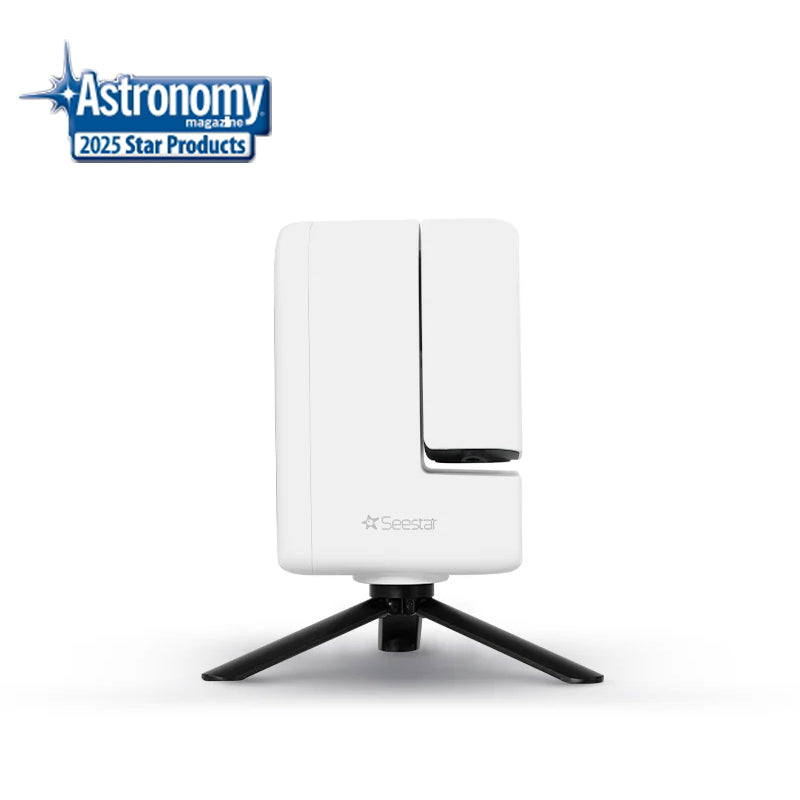
- Seestar S30 ($399): 30 mm f/5 optic, Sony IMX662 STARVIS 2 sensor, full-HD (1080p) images, 1.65 kg. The simplest, lightest full Seestar experience and one of the friendliest entry points in the entire hobby.[1]
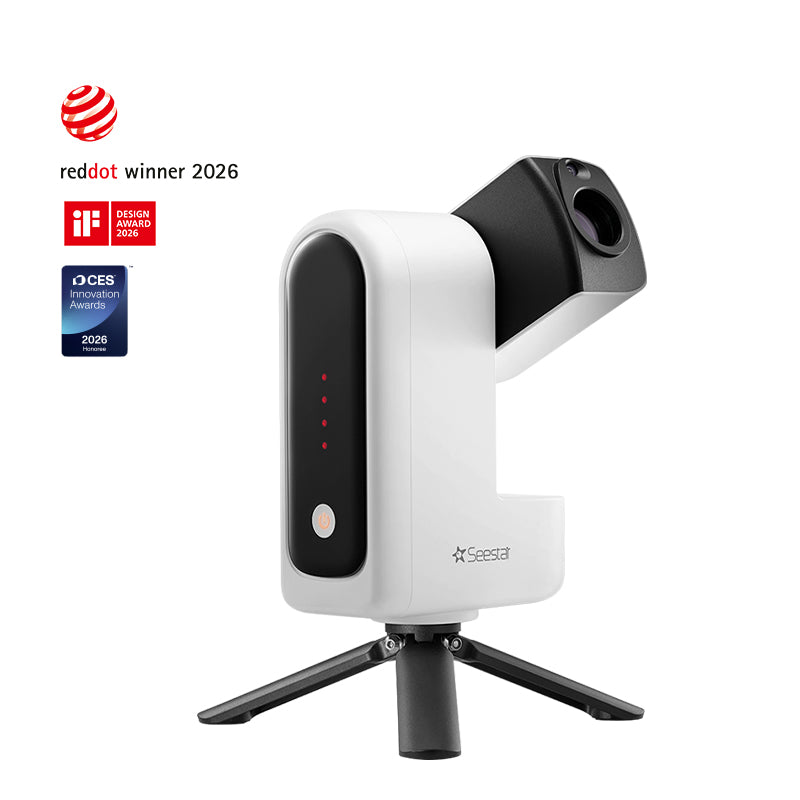
- Seestar S30 Pro (roughly $599 to $699): same 30 mm aperture but 160 mm focal length onto a much larger 8 MP IMX585 sensor (1/1.2-inch, about four times the S30's light-gathering surface) for 4K images and the widest field in the lineup: 2.26 by 3.98 degrees in portrait orientation. It also adds a second wide-angle lens for Milky Way scenics, star trails, and daytime shooting.[2]
The practical difference on screen: the Pro's larger sensor and 4K output give you finished images you can crop hard or print, while the standard S30 produces images that look wonderful on a phone and social feeds. Both run the same Seestar app, both stack live the same way, and both weigh so little that they will actually leave the house with you. If you are still deciding between these and the rest of the smart-scope field, our choosing your first smart telescope guide lays out the whole landscape.
Pre-flight checklist (indoors, before the night)
Every item below is five minutes or less, and each one has rescued more first nights than any accessory you can buy.
- Charge to full. Start every session at 100%, and pack a USB power bank if you plan to stay out past a few hours or if it is cold; batteries fade faster in the cold.
- Install the Seestar app at home on good Wi-Fi, create your account, and log in once. Same app as the S50, so if you have used any Seestar, you already know this one.
- Update the firmware indoors. Connect the scope once at home and take any pending update. ZWO improves these scopes continuously through firmware, and a surprise update in the field is a dark-window thief.
- Dry run in the living room. Power on, connect, slew a few degrees, find the target catalog in the app. Two minutes now saves twenty in the dark.
- Check phone storage and brightness. Free space for your images, brightness low, red-tint mode located if your phone has one.
- Check the sky and the Moon. Our Sky Tonight page gives you the forecast, Moon phase, and a ranked target list for your location. Big faint nebulae, the S30 family's specialty, want dark, moonless skies more than anything else you can control; here is why the Moon matters so much.
- Scout your site in daylight. Firm ground, open view south, no direct streetlights. Somewhere darker than the backyard pays off double with wide-field scopes, because their big frames capture more sky glow along with more sky; our park finder can point you somewhere better.
- Pack: scope, tripod, phone, power bank, red light, warm layer, a seat. The S30s are so light that the entire kit fits in a small backpack, which is exactly why these scopes get used more often than heavier ones.
Your first session, start to finish
The bones are identical to any Seestar, and if you have read our S50 first-night guide, everything transfers, because these scopes run the same app. Here is the wide-field version of the evening.
Arrive at twilight. Spread the tripod fully, press the feet into firm ground, and seat the scope. With a 1.65 kg instrument, stability is your job, not the scope's: grass or packed dirt over decking, and something between the scope and the wind if there is any. Face south if the site allows it.
Level like you mean it. Power on, open the app, and follow the leveling routine using the built-in sensor. Get the indicator genuinely centered. Goto accuracy and clean tracking flow downhill from this one step, so give it the extra thirty seconds.
Connect and confirm. Your phone joins the scope's Wi-Fi, the app handshakes, and you are live. Send the scope to something bright and easy first: the Moon if it is up, otherwise a bright cluster like the Pleiades or the Double Cluster in the colder months, or the Beehive in spring. Watch it slew, plate-solve, and center. Run autofocus and zoom in on the stars: tight points mean you are ready.
Now do the thing this scope was born for. Send it to the biggest showpiece the season offers (menu below) and let the stack build for at least ten to fifteen minutes before you judge anything. The first frames look thin and noisy; that is universal and temporary. Live stacking means the picture on your phone visibly deepens every minute as signal accumulates and noise averages out; the mechanics are laid out in why stacking works. With a wide field, part of the joy is watching faint outer nebulosity crawl into view around a target that a narrow scope would have cropped away.
While it stacks: check for dew forming on the front optic when humidity is up, glance at the battery, and resist the urge to switch targets every five minutes. One target given forty minutes beats four targets given ten, every single time.
Wrap up. Save your images to the phone, close the scope down from the app so it parks safely, power off, pack up under red light. First-timers routinely go from parking lot to a finished Andromeda portrait in under an hour with these scopes.
Play to the wide field: a seasonal target menu
The S30s' superpower is framing big things whole, targets the S50 can only mosaic. Build your seasons around these.
- Autumn: the Andromeda Galaxy. It spans six Moon-widths, and it fits in one S30 Pro frame with room to breathe. This is the single best first target for this family: bright, huge, and unmistakably a galaxy.
- Autumn and winter: the Double Cluster. Two rich clusters in one field with sky around them, exactly what a wide frame is for.
- Winter: the Pleiades. The whole cluster with its blue nebulosity in context, not cropped to a fragment. Also the Orion Nebula, where the wide field captures the full sweep of the surrounding region rather than just the bright core.
- Late winter and spring: the Beehive Cluster. A sprawling swarm that narrow scopes cannot contain.
- Summer: the Lagoon Nebula and the great Cygnus fields, including the North America Nebula, four Moons wide and built for this class. The Dumbbell Nebula is a fine mid-sized catch, and the Hercules Cluster makes a lovely wide portrait with its surrounding star field.
- Big projects: the Rosette, the Veil complex, and the large open clusters reward returning night after night for deeper stacks.
Conversely, small targets, most galaxies, planetary nebulae like the Ring, and globulars arrive tiny in the frame. That is not failure; it is the tradeoff you chose. Crop the 4K files from the Pro generously; the pixels are there. On the standard S30, treat small targets as an occasional novelty and spend your dark time on the big stuff.
Reading your first images honestly
A quick expectation-setting note, because it saves a lot of first-week doubt. Straight off the scope, your stacked images will look good but not like the processed showpieces you see online: those have usually had hours of integration and careful editing on top. What you should expect from night one is unmistakable structure. Andromeda's bright core and tilted disk. The Orion Nebula's glowing wings. The Pleiades wrapped in a hint of blue haze. If you can see those, the scope is performing exactly as designed, and everything beyond that is a function of two things you control completely: total stacking time and sky darkness.
It also helps to judge images on the right screen. A stack that looks stunning on a phone can look soft blown up on a monitor, particularly from the 1080p S30. That is not a defect; it is a sensor-size reality, and it is why the Pro exists. Share from the phone, archive the originals, and revisit your favorites with longer stacks on better nights. Some of the most satisfying images in this hobby are second and third attempts at a target you thought you had finished.
The Pro's wide-angle lens
Do not ignore the second lens. Milky Way arcs over a dark park, star-trail circles around Polaris, twilight timelapses, even daytime wildlife: it turns the scope into a general night-sky camera.[3] Under a Bortle 2 sky, a Milky Way panorama from the wide lens is often the shot friends react to most, more than any nebula close-up. A good pattern for a dark-site evening: open with a wide twilight timelapse while you wait for darkness, spend the core of the night stacking deep-sky targets through the main optic, and close with a star-trail sequence as the battery winds down. One device, three completely different kinds of image, one small backpack.
Two practical notes for the wide lens. First, it is at its best when the foreground matters: a treeline, a ridge, a tent glowing red under the stars. Compose it like a landscape photograph that happens to be at night. Second, moonlight is far less destructive to wide nightscapes and star trails than it is to deep-sky stacking, which makes the wide lens the perfect assignment for the bright half of the month when the main optic's faint-target menu is thin.
Tips specific to this family
- Portrait framing (S30 Pro): its native field is taller than wide, so rotate your framing expectations for horizontal targets, or use the app's framing tools to compose deliberately.
- Wind is your enemy at 1.65 kg: the light weight that makes these scopes portable makes them wobbly in gusts. Shield them behind a car, a wall, or your own chair, and weigh down the tripod.
- Nebula filter: as with all Seestars, use the built-in dual-band filter on emission nebulae (Lagoon, North America, Orion) and turn it off for everything else: galaxies, clusters, and reflection nebulosity like the Pleiades' shine by starlight, and the filter just dims them.
- Suburban owners: the wide field plus dual-band filter combination makes the big emission nebulae the best-value targets from a Bortle 6 backyard. Save galaxies for trips to darker skies.
- Battery discipline: start full, and remember cold nights shorten runtime; a pocket power bank ends the anxiety entirely.
Troubleshooting: symptom, cause, fix
| Symptom | Likely cause | Fix |
|---|---|---|
| Goto fails or lands off-target | Scope not level, or target too low in the sky | Redo the leveling routine until the indicator is centered; pick targets above about 20 degrees using Sky Tonight |
| Frames keep being rejected from the stack | Wind shaking a very light scope | Move behind a windbreak, hang weight from the tripod, press the feet into softer ground |
| Stars turn soft partway through the night | Focus drift as temperature falls | Re-run autofocus; on long nights expect to do this more than once |
| Image slowly loses contrast, halos appear | Dew on the front optic | Check the glass with a red light; give the optic time to clear pointed downward, then resume |
| Big nebula looks flat and gray | Moonlight, light pollution, or filter off | Enable the dual-band filter for emission nebulae; schedule faint wide-field targets for the new-Moon week (moon phase guide) |
| Target looks disappointing after five minutes | Not enough integration yet | Wide, faint targets need time; give showpieces 30 to 60 minutes (why stacking works) |
| Small target is a tiny smudge | Wide field working as designed | Crop the Pro's 4K output, or accept that galaxies and planetary nebulae are the S50's department |
| App disconnects from the scope | Phone left Wi-Fi range or auto-joined another network | Stay close, reconnect in the app; stacking continues through short dropouts |
Care and transport
- Park before you pack. Always shut down from the app so the scope closes into its protected position before it goes in a bag.
- Padded, snug, upright. A small padded bag or the supplied case is all these scopes need, and their size means the whole kit rides in a daypack. Do not let the scope rattle loose in a trunk.
- Dry it before you store it. After a humid session, let the scope air-dry indoors before sealing it in a case. Toss a desiccant pack or two in the bag.
- Leave the lens alone. Dust barely affects images; scratched coatings are forever. Blower first, cloth almost never.
- Avoid condensation shocks. Cold scope into warm house means fog on every surface. Let it warm gradually in its closed case.
- Batteries like moderation. Store part-charged for long gaps, charge fully before each outing.
Leveling up
- Revisit targets across nights. The wide-field showpieces reward accumulated time more than almost anything else you can do. Give Andromeda 40 minutes tonight and another hour next week; the deeper stack will show outer structure the single session could not. Keep a little log per target and watch your personal bests improve across a season.
- Build a Moon-phase rhythm. New-Moon week is for the faint big nebulae; bright-Moon week is for clusters, the Moon itself, and wide-lens star trails, which do not care about moonlight nearly as much. The moon phase guide turns this into a simple calendar habit.
- Master the Pro's two-lens workflow. Treat the wide lens as a first-class instrument, not a gimmick: plan one wide-field nightscape or timelapse per dark-site trip alongside your deep-sky stacking.
- Learn to crop with intent. The Pro's 4K files hold up to aggressive cropping, which effectively gives you a second, tighter framing of every target you shoot. Shoot wide, then compose in the crop.
- Chase darker skies. Wide fields amplify the difference between a Bortle 6 backyard and a Bortle 3 park more than narrow fields do, because they drink in sky glow across the whole frame. A monthly trip somewhere from our park finder will improve your images more than any setting.
- Graduate concepts, not gear. Advanced techniques described in our S50 guide, like equatorial-style setups and mosaics, live in the same app family; check what your model's current firmware offers before assuming, and add one new technique per month rather than five per night.
Notes & sources
- S30 price, optics, sensor, and weight from the manufacturer's product page. ZWO Seestar S30 ↩
- S30 Pro sensor, field of view, and second-lens details from the manufacturer's product page. ZWO Seestar S30 Pro ↩
- Wide-angle lens use cases: Milky Way scenics, star trails, and daytime shooting. ZWO Seestar S30 Pro ↩
- Independent review of the standard S30's real-world performance. BBC Sky at Night Magazine ↩
- Head-to-head comparison of the S30 family against the S50 and the Dwarf line. Wido's AstroForum ↩
For deeper reading, the reviews cited above[4] and the 2026 budget smart-scope comparison[5] are both worth your time before you buy accessories or a second scope.